> ## Documentation Index
> Fetch the complete documentation index at: https://docs.firebender.com/llms.txt
> Use this file to discover all available pages before exploring further.
# Install Custom Build (30 seconds)
> Instructions for installing a custom Firebender build
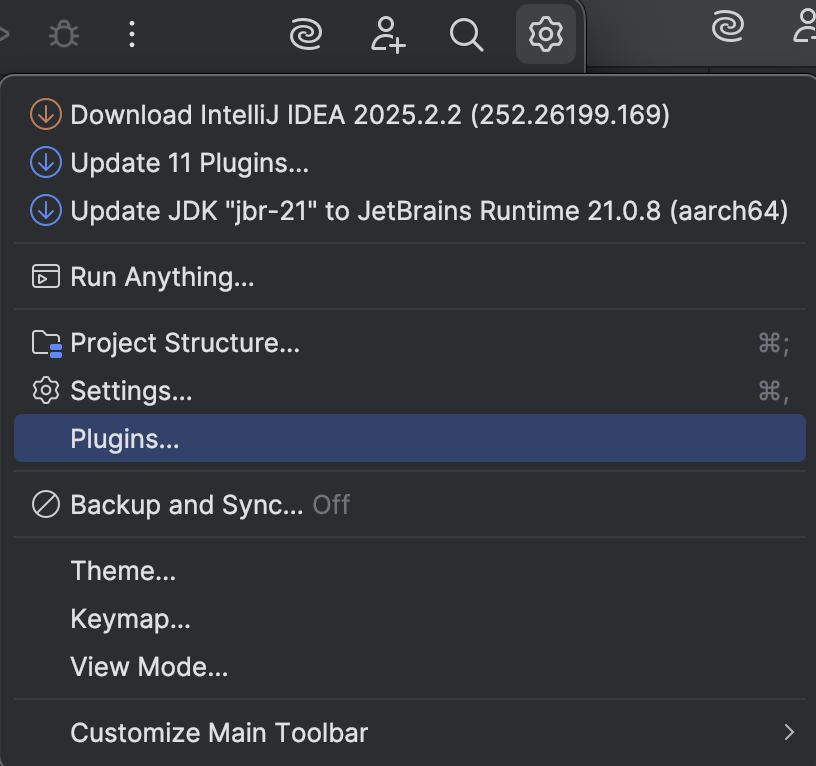
#### Step 1: Open plugin settings
Click the gear icon in the top right and select **Plugins**.
 #### Step 2: Install plugin from disk
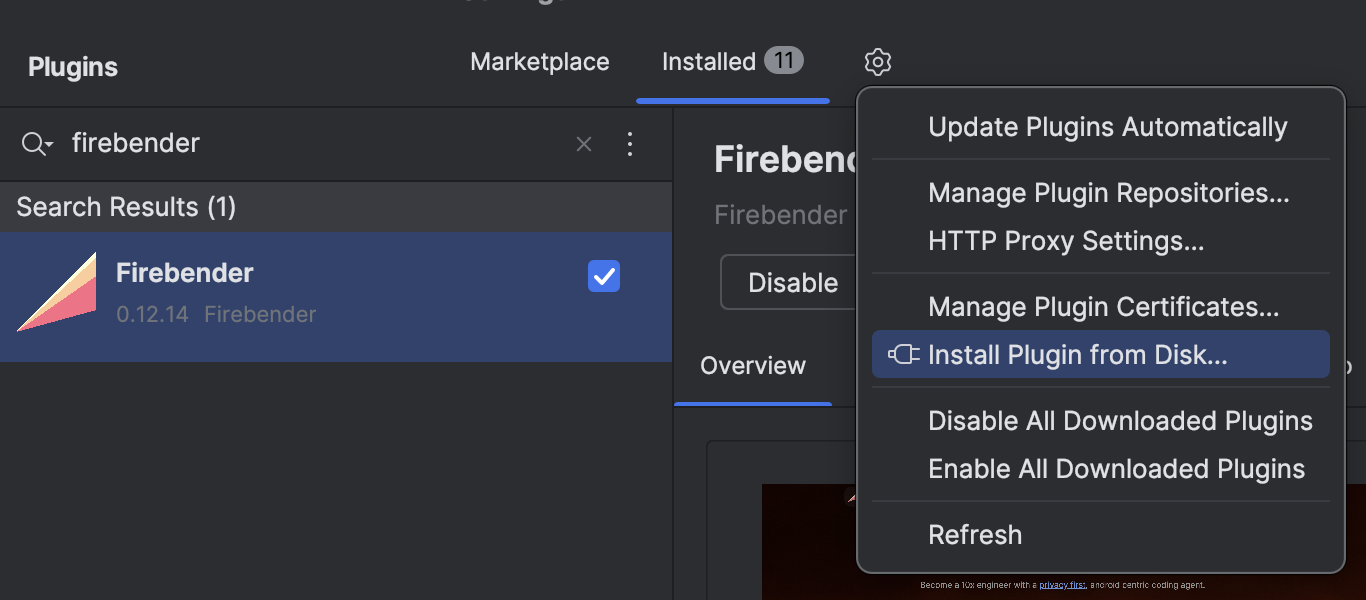
In the Plugins window, click the gear icon in the top right and select **Install Plugin from Disk...**
#### Step 2: Install plugin from disk
In the Plugins window, click the gear icon in the top right and select **Install Plugin from Disk...**
 #### Step 3: Select the build file
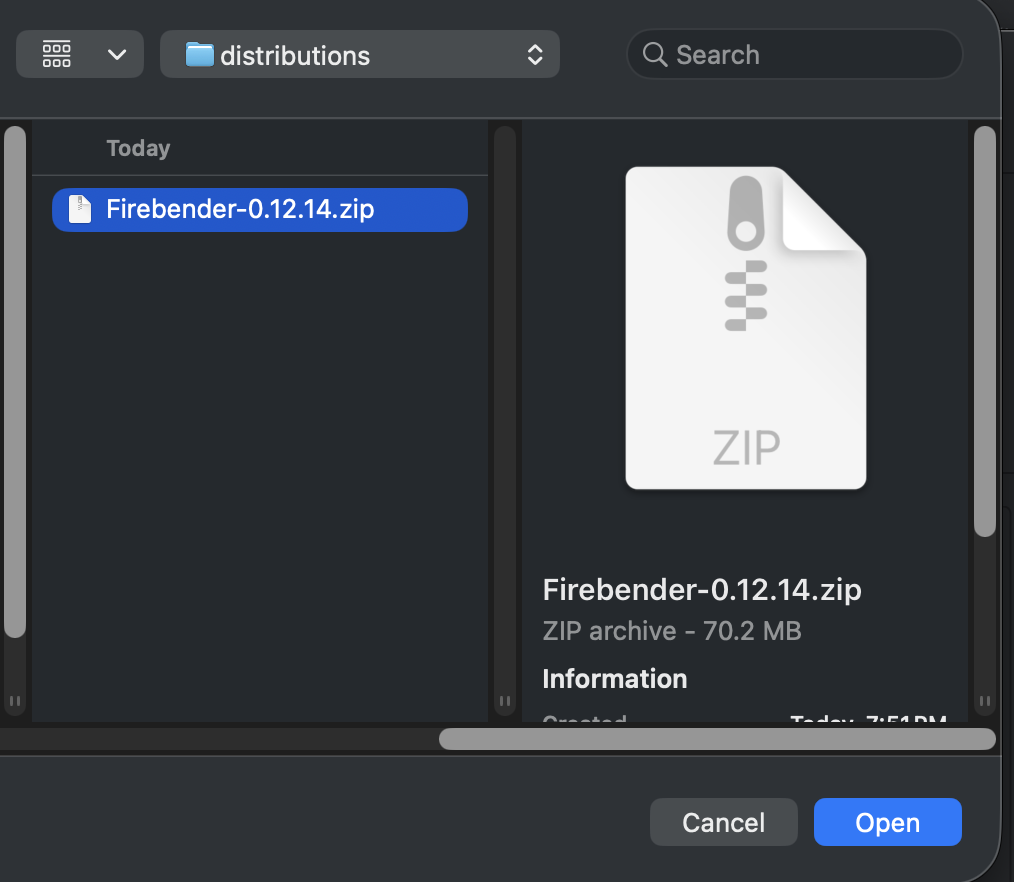
Select the Firebender `.zip` file you were provided.
#### Step 3: Select the build file
Select the Firebender `.zip` file you were provided.
 #### Step 4: Finish
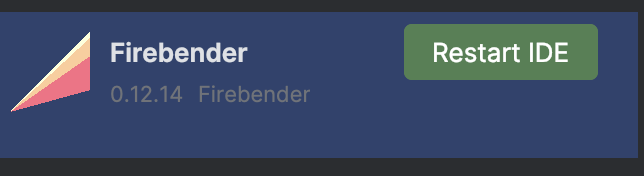
Click **OK** to complete the install.
#### Step 4: Finish
Click **OK** to complete the install.
 ***
If the issue persists, reach out to the Firebender member who shared the build, email [help@firebender.com](mailto:help@firebender.com), or contact us via your Slack channel.
***
If the issue persists, reach out to the Firebender member who shared the build, email [help@firebender.com](mailto:help@firebender.com), or contact us via your Slack channel.